Hi folks,
The Date fields are displayed as “MM/DD/YYYY” in the CMS with no option to change it. My entire team is based in Europe where we use “DD/MM/YYYY” so it would be incredibly helpful to change the formatting of all our date fields.
Thank you!
Hi folks,
The Date fields are displayed as “MM/DD/YYYY” in the CMS with no option to change it. My entire team is based in Europe where we use “DD/MM/YYYY” so it would be incredibly helpful to change the formatting of all our date fields.
Thank you!
Hey @maxime, seems like a pesky bot got an (unhelpful) reply to you before we could get around to it 
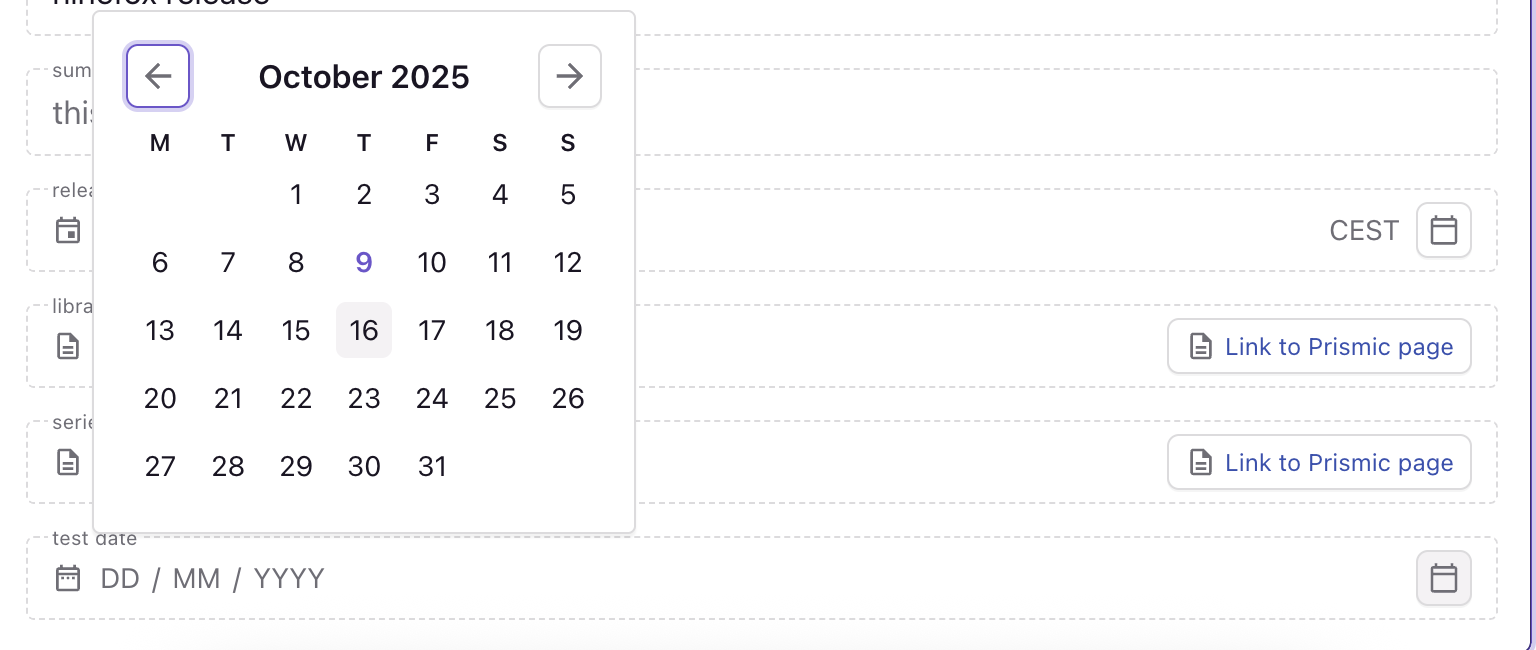
Could you show me where you’re encountering this, and how you’ve got your date fields set up? I’ve attempted to recreate on my end, but this is what I get:
It appears as DD/MM/YYYY.
Hi @Ezekiel, it looks like you might be using a “Timestamp” in your screenshot, whereas I’m using the “Date” field. Here’s a screenshot of what I see:
Here’s what I see on an empty Date field:
I don’t understand why you see a different format  And your field appears to have time zone information on the right (“CEST”), whereas mine doesn’t show that and I don’t see a way to configure it in the slice machine.
Edit: I’ve also tried changing my locale to French but got the same result.
I believe the timezone information is related to the hour in the timestamp field above, my date field is below and doesn’t have it. I made it confusing
I’ve had a chat with the team to confirm - this seems to be based on your browser’s locale. Is it set to be in American English or another country in which the date’s format is displayed as MM/DD/YYYY?
Ah got it! I can confirm that if I set my navigator language to French, for example, it changes the Date field’s formatting. That’s good to know, and I think that’s a nice UI touch. My only suggestion would be to call this out in the existing documentation.
Thanks again, @Ezekiel!
Completely agree, we’ll add that in! Happy to help, and don’t hesitate if you run into more issues